
Barudan Embroidery File Format Guide
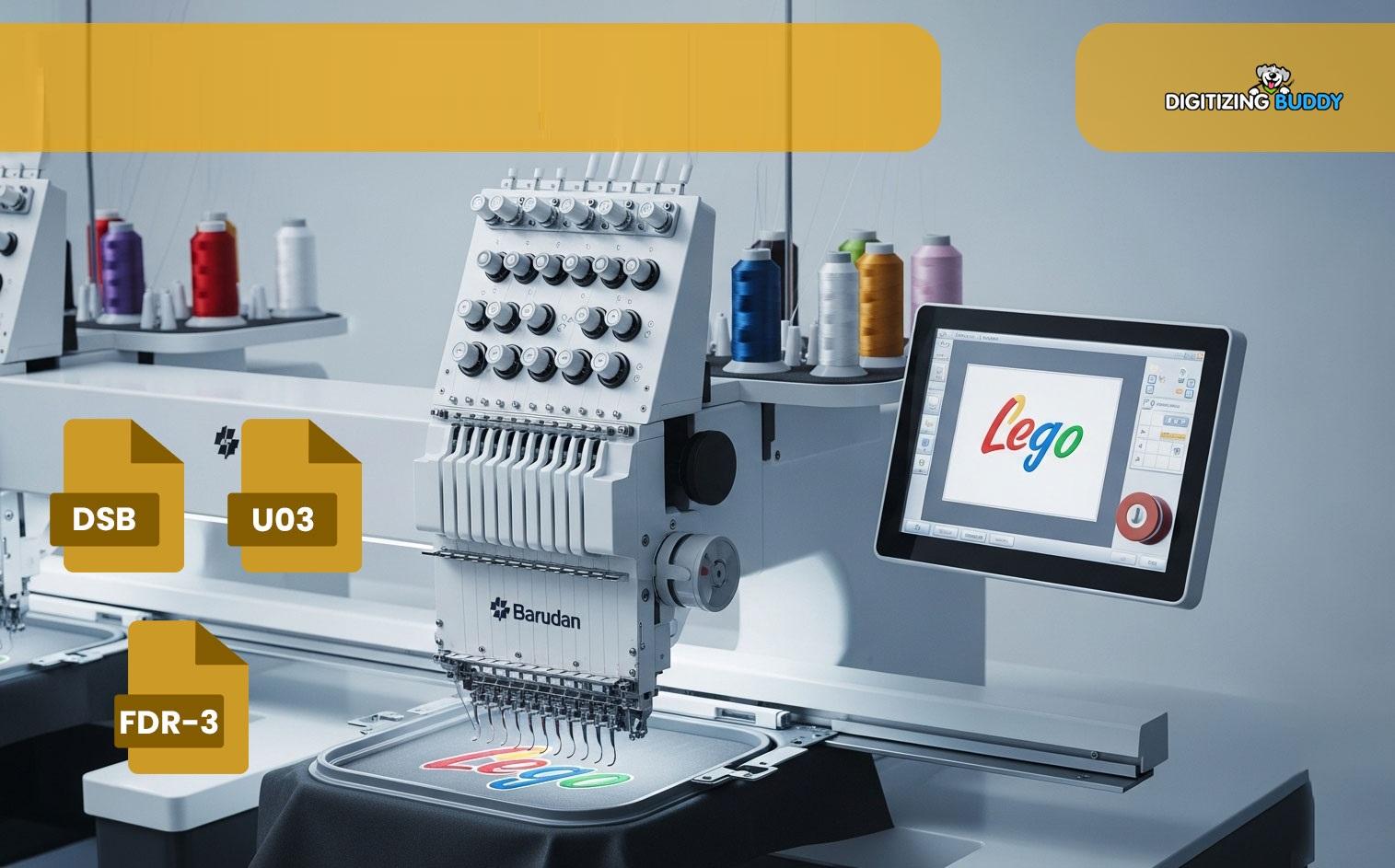
Barudan Embroidery File Format
Introduction
If you’ve spent any time in the embroidery industry, you’ve probably heard people talk about embroidery file formats almost as much as embroidery machines themselves.
And honestly, there’s a good reason for that.
Even the best embroidery design can fail if the file format isn’t compatible with the machine. Thread breaks, missing stitches, alignment problems, and production delays often start with file issues—not the machine itself.
That’s why understanding the Barudan embroidery file format is important for embroidery businesses, digitizers, and machine operators.
Whether you run a commercial embroidery shop or are just learning about machine embroidery, knowing how Barudan file formats work can help improve workflow, reduce errors, and create cleaner embroidery results.
What Is a Barudan Embroidery File Format?
A Barudan embroidery file format is a machine-readable embroidery file used by Barudan embroidery machines.
These files contain stitch instructions that tell the machine:
-
Where to stitch
-
Which direction to sew
-
When to trim thread
-
Color sequence
-
Needle movements
Without the correct embroidery file format, the machine cannot properly read or stitch the design.
Why Embroidery File Formats Matter
Machines Need Specific Instructions
Embroidery machines do not understand regular image files like JPG or PNG.
Instead, they require specialized embroidery formats that contain stitch data.
Think of embroidery files like GPS directions for the machine. Without proper instructions, the machine won’t know where to go.
Compatibility Affects Production
Using incorrect or poorly converted files can lead to:
-
Thread breaks
-
Design distortion
-
Machine errors
-
Production delays
That’s why file compatibility is critical in embroidery production.
Common File Formats Used With Barudan Machines
DST Format
DST is one of the most commonly used embroidery formats for commercial embroidery machines.
Many Barudan machines support DST files because they are:
-
Reliable
-
Lightweight
-
Widely compatible
DST files focus mainly on stitch instructions rather than editable design information.
Other Compatible Embroidery Formats
Depending on the machine model and software, Barudan systems may also support:
-
DSB
-
DSZ
-
EXP
-
TAP
Different embroidery setups may use different workflow preferences.
How Embroidery Digitizing Connects to File Formats
Digitizing Creates the Stitch File
Before a design becomes a Barudan embroidery file format, it must first be digitized.
Embroidery digitizing converts artwork into stitch instructions that embroidery machines can understand.
This process controls:
-
Stitch type
-
Density
-
Underlay
-
Stitch sequencing
-
Compensation settings
At Digitizing Buddy, professional embroidery digitizing helps create clean and machine-friendly embroidery files for smoother production.
Why Good Digitizing Matters for Barudan Machines
Poor Files Create Machine Problems
Even advanced embroidery machines struggle with poorly digitized designs.
Bad digitizing may cause:
-
Excessive trims
-
Thread tension issues
-
Uneven stitching
-
Distorted lettering
A clean embroidery file helps machines run efficiently.
Production Speed Improves
Well-digitized embroidery files reduce unnecessary machine movement.
This helps improve:
-
Stitch consistency
-
Machine performance
-
Production efficiency
Professional embroidery files save time during large production runs.
Difference Between Editable and Machine Files
Editable Embroidery Files
Editable embroidery files store design information for future modifications.
These files help digitizers:
-
Resize logos
-
Adjust density
-
Edit lettering
-
Modify stitch paths
Machine-Ready Files
Machine formats like DST or DSB are designed mainly for production.
They focus on stitch execution rather than editing flexibility.
Common Problems With Embroidery File Formats
File Corruption
Improper file transfer or incorrect conversions can damage embroidery files.
This may result in:
-
Missing stitches
-
Broken design sections
-
Machine reading errors
Wrong Format Selection
Using unsupported formats may prevent the machine from reading the design correctly.
Always verify compatibility before production.
Density Issues
Some embroidery files may not be optimized for the fabric or garment type.
This can create:
-
Puckering
-
Bulky stitching
-
Thread breaks
Tips for Better Barudan Embroidery Results
Use High-Quality Artwork
Clear vector artwork improves embroidery digitizing quality and stitch accuracy.
Low-resolution images can create digitizing problems.
Test Stitch Designs
Always run a sample before full production.
Testing helps identify:
-
Alignment problems
-
Thread issues
-
Density concerns
-
Fabric distortion
Keep Files Organized
Good file management improves workflow efficiency.
Organize files by:
-
Customer
-
Design type
-
Machine format
-
Production date
Importance of File Conversion
Some Designs Need Conversion
Different embroidery machines may require different file formats.
Professional conversion helps preserve:
-
Stitch quality
-
Color sequence
-
Design structure
Poor conversion may damage embroidery accuracy.
How Digitizing Buddy Supports Embroidery Businesses
At Digitizing Buddy, professional embroidery digitizing services help businesses create:
-
Production-ready embroidery files
-
Machine-compatible formats
-
Cleaner stitch paths
-
Efficient embroidery designs
Proper digitizing supports smoother embroidery workflows and better final results.
Best Practices for Managing Embroidery Files
Save Backup Copies
Always keep backup versions of:
-
Editable design files
-
Machine-ready files
-
Customer-approved versions
This simplifies revisions and repeat orders.
Verify Machine Compatibility
Before production, confirm the embroidery file matches the machine’s supported format.
This helps avoid unnecessary production delays.
Update Designs Carefully
Resizing or modifying embroidery files improperly can affect stitch quality.
Professional editing helps maintain clean embroidery performance.
Conclusion
Understanding the Barudan embroidery file format is essential for smoother embroidery production and better machine performance.
The right file format helps embroidery machines stitch designs accurately while reducing thread breaks, production issues, and compatibility problems.
Combined with professional embroidery digitizing, clean embroidery files improve:
-
Stitch quality
-
Production efficiency
-
Machine reliability
-
Workflow organization
With professional support from Digitizing Buddy, businesses can create cleaner, machine-friendly, and production-ready embroidery files for high-quality embroidery results.
FAQs
What is a Barudan embroidery file format?
A Barudan embroidery file format is a machine-readable embroidery file used by Barudan embroidery machines.
What file format is commonly used for Barudan machines?
DST is one of the most commonly supported embroidery formats for commercial embroidery machines.
Why are embroidery file formats important?
Correct file formats help embroidery machines read and stitch designs accurately.
Can regular image files work on embroidery machines?
No. Artwork must first be digitized into embroidery stitch files before machines can use it.
Why is professional digitizing important for embroidery files?
Professional digitizing improves stitch quality, machine performance, and embroidery consistency.

 English
 Arabic
 French
 Spanish
 Portuguese
 Deutsch
 Dutch
Dutch
 Italiano
 Russian
 Romaian
 Portuguese (Brazil)
 Greek
Greek