
How to Find Reliable and Affordable MacBook Repair in Dubai
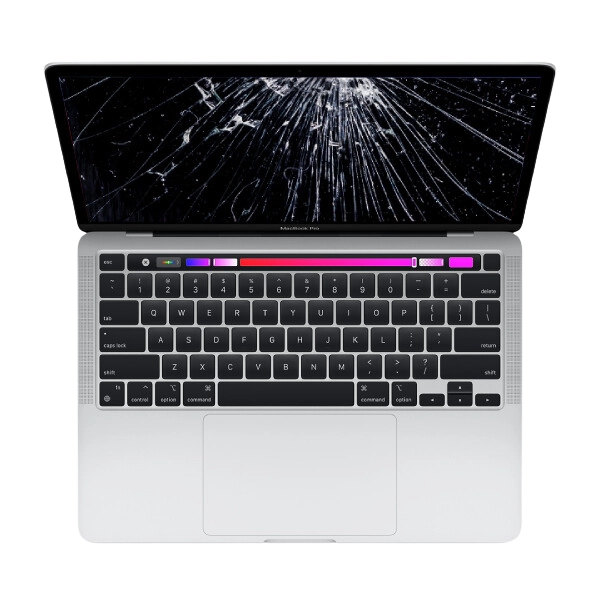
A MacBook is an important device for professionals, students, business owners, and people who use technology every day. Whether you work in Business Bay, attend classes in Dubai, or manage your business from home, your MacBook helps you complete important tasks, communicate with clients, manage documents, and stay productive.
However, like other electronic devices, a MacBook can develop technical problems over time. You may experience a cracked screen, weak battery, charging issue, slow performance, overheating, or keyboard problems. When your device stops working properly, finding reliable and affordable MacBook repair in Dubai becomes important.
Choosing a repair service can be challenging because different providers offer different prices, repair methods, and service conditions. The cheapest option is not always the best, and a high price does not automatically guarantee quality. This guide explains how to find a suitable MacBook repair service without spending more than necessary.
1. Identify the Problem Before Choosing a Repair Service
Before contacting a repair provider, try to understand the symptoms your MacBook is showing. This can help you explain the issue clearly and receive a more accurate estimate.
Common MacBook problems include:
-
Slow performance and frequent freezing
-
Battery draining quickly
-
Cracked or flickering display
-
Keyboard keys not responding
-
Charging problems
-
Overheating and loud fan noise
-
Wi-Fi or connectivity issues
-
Unexpected shutdowns
Some problems may be caused by software, while others may involve internal hardware components. For example, slow performance could be related to limited storage or background applications rather than a damaged component.
Explain the symptoms to the technician and allow them to inspect the device before approving any repair.
2. Look for Experience With Different MacBook Models
Apple has introduced different MacBook models over the years, including MacBook Air and MacBook Pro versions. Each model can have different internal components and repair requirements.
When searching for MacBook repair in Dubai, check whether the service provider has experience with your specific model. This is particularly important if you own a newer MacBook or need a specialised repair.
Ask the technician whether they regularly work with your model and whether they have the appropriate tools for the job.
A knowledgeable repair professional should also be able to explain the problem in simple language and discuss the available solutions before starting the work.
3. Compare MacBook Repair Prices in Dubai
Repair costs can vary depending on the MacBook model, type of damage, replacement part, and complexity of the repair.
For example, a battery replacement may have a different cost from a display replacement or logic board repair. Older models may also have different parts availability compared with newer devices.
To avoid overpaying, request estimates from more than one service provider. Ask each provider what the quoted price includes, such as inspection, replacement parts, labour, and additional charges.
Do not select a repair service based only on the lowest price. A very cheap quote may not include suitable parts or a clear warranty.
Instead, compare the complete service and choose an option that provides reasonable pricing and clear information.
4. Ask About the Quality of Replacement Parts
Replacement part quality can affect your MacBook's performance and reliability after repair.
If a component needs to be replaced, ask the technician what type of part will be used. Depending on availability and the service provider, options may include original, compatible, or refurbished components.
Make sure you understand the differences between these options. Ask about compatibility, expected performance, and warranty coverage.
For example, when replacing a MacBook screen, display quality, brightness, and compatibility are important considerations. For a battery replacement, the part should be suitable for your exact model.
A professional provider should explain the available choices instead of recommending a replacement without discussing the details.
5. Check Customer Reviews and Feedback
Customer reviews can help you understand how a MacBook repair service treats its customers.
When searching online, check feedback on Google and other established review platforms. Look for comments about repair quality, communication, pricing, service time, and customer support.
Read individual reviews instead of focusing only on the overall rating. Detailed feedback can give you a better idea of what customers experienced.
It is also useful to check how the business responds to complaints. Professional communication and helpful responses can be positive signs.
However, reviews should not be your only consideration. Confirm the repair provider's experience and service conditions directly before handing over your MacBook.
6. Choose a Service That Provides a Clear Diagnosis
A proper diagnosis is an important part of a reliable MacBook repair process. The technician should inspect your device, identify the likely cause of the problem, and explain the recommended solution.
For example, if your MacBook is overheating, the cause could involve blocked ventilation, heavy software activity, or a cooling system issue. Replacing a component without identifying the actual problem may lead to unnecessary expenses.
Ask the technician to explain:
-
What is causing the problem?
-
Which component needs attention?
-
Is repair possible without replacement?
-
What will the complete service cost?
-
How long will the repair take?
Clear answers can help you make a better decision and avoid paying for work that your device does not need.
7. Check Warranty and After Repair Support
A warranty can provide additional confidence when choosing a MacBook repair service.
Before approving the repair, ask whether the service includes a warranty. Find out how long it lasts and whether it covers the replacement part, labour, or both.
You should also understand any exclusions. For example, a warranty may not cover new accidental damage, liquid exposure, or unrelated hardware problems.
Request written warranty information so you know what support is available after the repair.
A reliable repair provider should explain its warranty conditions clearly before starting the work.
8. Protect Your Data Before Handing Over Your MacBook
Your MacBook may contain personal photographs, business documents, emails, passwords, and important work files. Protecting this information should be a priority before arranging a repair.
Create a backup using Time Machine or another suitable backup method. This can help protect your files if something unexpected happens during the repair.
You should also follow Apple's recommended preparation instructions for your particular repair. Avoid sharing your Apple Account password with a repair provider.
If the technician needs access to your device for testing, ask why it is necessary and what checks will be performed.
Taking these precautions can help protect your personal information throughout the repair process.
9. Consider Repair Time and Location
Dubai is a busy city, so convenience can be an important factor when choosing a MacBook repair service.
If you work in Business Bay, live in Dubai Marina, or travel regularly between Deira and Downtown Dubai, consider how easily you can reach the service provider.
Ask for an estimated repair time before booking. Completion time may depend on the problem, availability of replacement parts, and the complexity of the work.
You can also ask whether collection and delivery arrangements are available. Confirm the service area, expected timing, and any additional charges before making arrangements.
A convenient location and clear communication can make the repair process easier.
10. Avoid Unnecessary DIY Repairs
Some minor MacBook issues can be addressed through basic troubleshooting. Restarting the device, updating macOS, checking storage, and closing unnecessary applications may improve performance.
However, internal hardware repairs require suitable tools and technical knowledge. Attempting to replace a screen, battery, keyboard, or internal component without experience can cause further damage.
If your MacBook has liquid damage, a cracked display, charging problems, or repeated shutdowns, professional inspection is generally a safer option.
A qualified technician can identify the issue and explain whether repair or replacement is the better solution.
Contact Techfix.ae for MacBook Repair Assistance in Dubai
If your MacBook is running slowly, overheating, experiencing battery problems, or showing signs of screen or keyboard damage, professional inspection can help you understand the available repair options.
Techfix.ae is a Dubai-based technology repair service that you can contact to ask about MacBook repair assistance. Share your exact MacBook model and describe the issue so the team can confirm whether it provides the required service.
Before arranging a repair, ask about the estimated cost, replacement part options, repair time, and warranty conditions. You can also confirm whether collection and delivery arrangements are available in your area.
Getting clear information before approving the work can help you compare options and choose a service that suits your device and budget.
Final Thoughts
Finding reliable and affordable MacBook repair in Dubai requires careful research. You should consider technician experience, replacement part quality, customer reviews, repair estimates, warranty conditions, and data protection.
Start by identifying the problem and explaining the symptoms to a repair professional. Compare prices, ask for a clear diagnosis, and understand what is included in the quoted amount before approving any work.
Whether you live in Dubai Marina, work in Business Bay, or study in another part of the city, choosing a suitable repair provider can help you avoid unnecessary expenses.
With proper diagnosis, quality repair work, and regular maintenance, you can keep your MacBook working reliably and continue using it for your everyday needs.

 English
 Arabic
 French
 Spanish
 Portuguese
 Deutsch
 Turkish
 Dutch
 Russian
 Romaian
 Portuguese (Brazil)
 Greek