
How Retail Teams Can Coordinate Screen Content Across Multiple Locations
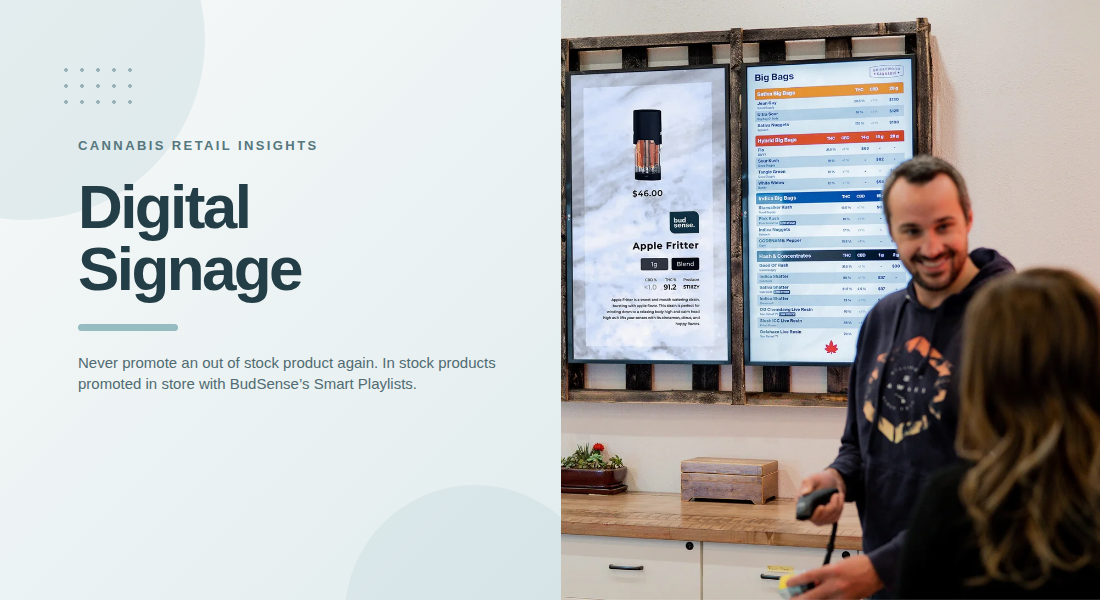
Managing digital displays across several cannabis retail locations can become challenging as a business expands. Each store may have different inventory, promotions, customer activity, and operational requirements. A consistent communication strategy helps retailers maintain recognizable branding while allowing individual locations to display relevant information. A well-managed digital signage system can support this process by giving retail teams a structured way to organize and coordinate screen content.
For multi-location dispensaries, the goal is not necessarily to show identical content everywhere. Instead, teams need a balance between centralized brand consistency and location-specific communication.
1. Establish Shared Content Guidelines
Before coordinating screens across multiple stores, retailers should establish basic content guidelines. These standards help employees understand how digital displays should look and what type of information they should communicate.
Guidelines can cover:
-
Brand colors and visual identity
-
Font styles and text formatting
-
Promotional message requirements
-
Product information presentation
-
Screen layout and content placement
-
Rules for seasonal announcements
A shared framework makes it easier for different teams to create content without producing inconsistent displays. It also reduces the need for managers to correct formatting differences across locations.
2. Separate Centralized and Local Content
Not every message needs to appear on every screen. Some announcements are relevant to the entire business, while others apply only to individual stores.
Centralized content may include brand campaigns, company announcements, and general educational messages. Local content can cover store-specific promotions, operating updates, and relevant inventory information.
Separating these content types helps prevent unnecessary communication. It also gives individual store managers enough flexibility to address their customers' needs without changing the company's overall visual identity.
3. Assign Clear Responsibilities to Retail Teams
Multi-location screen management becomes easier when employees understand their responsibilities. Without clear ownership, content may remain outdated or promotional updates may be delayed.
Retailers should define who can create, review, approve, schedule, and publish screen content.
For example, a central marketing team may manage brand campaigns, while location managers handle store-specific announcements. This division keeps responsibilities organized and reduces confusion when several people work on the same displays.
A clear approval process also helps ensure that messages meet company standards before appearing on customer-facing screens.
4. Create a Consistent Content Calendar
A content calendar helps retail teams plan what appears on digital screens and when updates should take place.
Rather than making changes only when a promotion begins, businesses can schedule announcements around planned campaigns, seasonal events, and important store updates.
A content calendar may include:
-
Campaign start and end dates
-
New product announcements
-
Seasonal promotional periods
-
General store announcements
-
Brand awareness campaigns
-
Scheduled content reviews
Planning ahead reduces last-minute changes and gives employees more time to prepare appropriate materials.
5. Use Location-Specific Playlists
Different dispensary locations may need different screen content. A store with a particular product selection should not necessarily display the same inventory-related messages as another branch.
Organizing content into location-specific playlists allows retailers to manage these differences while maintaining shared branding.
For example, a central team can prepare standard company announcements and distribute them across all locations. Individual stores can then use additional playlist content for messages relevant to their own operations.
This approach creates a more flexible communication structure without requiring every location to manage its screens independently.
6. Keep Promotional Information Consistent
Promotional messages should follow the same standards across the business. Differences in wording, dates, or visual presentation can make a campaign appear unorganized.
Retail teams should verify promotional details before scheduling content. They should also establish a process for removing expired announcements when campaigns end.
For multi-location businesses, centralized scheduling can help ensure that shared promotions begin and finish according to the same timeline.
Teams should also review applicable cannabis advertising regulations and local requirements before publishing promotional content.
7. Review Screen Content Across All Locations
Publishing content is only one part of digital display management. Retailers also need to check whether scheduled messages are appearing correctly at each location.
Regular reviews can help identify:
-
Expired promotional messages
-
Incorrect store-specific information
-
Formatting or display problems
-
Content assigned to the wrong location
-
Missing announcements
-
Outdated brand materials
A simple review routine helps managers maintain reliable displays. It also gives central teams an opportunity to identify recurring problems and improve their content management process.
8. Use Automation to Reduce Manual Coordination
Manually managing several screens can require considerable time, especially when a business operates multiple dispensaries. Automation can make content distribution and scheduling more manageable.
Retailers can use centralized tools to prepare content, organize playlists, and coordinate updates across locations. This reduces repetitive work and makes it easier to maintain shared communication standards.
BudSense's Smart Playlists support digital signage content management by helping retailers organize and schedule screen content. This type of functionality can be useful when teams need to coordinate different messages across several retail locations.
Supporting Multi-Location Screen Management
As dispensary operations grow, having the right management tools becomes increasingly important. BudSense menu software offers digital signage capabilities designed to help cannabis retailers organize screen content and manage communication across their stores. Structured playlists and centralized content planning can support more consistent displays while allowing individual locations to maintain relevant messaging.
Final Thoughts
Coordinating digital screens across multiple cannabis retail locations requires clear responsibilities, shared content standards, and a reliable scheduling process. Retailers should balance company-wide announcements with local communication so that every location receives relevant and consistent information.
By combining centralized planning, location-specific playlists, regular reviews, and automation, multi-location dispensaries can make screen management more organized. A structured approach also helps retail teams maintain recognizable branding as their business continues to grow.
FAQs
1. Why should cannabis retailers coordinate digital signage across locations?
Coordination helps maintain consistent branding, promotional messaging, and communication standards across multiple stores.
2. Should every dispensary location display identical screen content?
Not necessarily. Shared announcements can appear across all locations, while local playlists can communicate store-specific information.
3. Who should manage digital signage content in a multi-location business?
Responsibilities can be divided between central marketing teams and individual store managers, depending on the type of content.
4. How often should retail teams review screen content?
Teams should review content regularly and whenever promotions, store information, or campaign schedules change.
5. Can automated playlists help manage multiple dispensary screens?
Yes. Automated playlists can help organize scheduled messages and distribute appropriate content across different retail locations.

 English
 Arabic
 French
 Spanish
 Portuguese
 Deutsch
 Dutch
 Italiano
 Russian
 Romaian
 Portuguese (Brazil)
 Greek