
How Designers Balance Style, Comfort, and Productivity in Modern Workstations
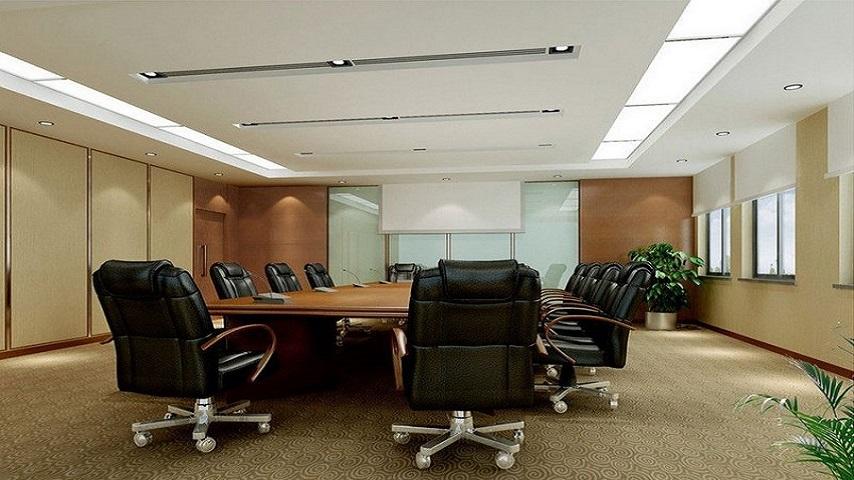
A modern workstation needs to do more than provide a place to sit and work. Employees use their workstations for focused tasks, communication, digital work, documentation, and collaboration throughout the day. This makes workstation design an important part of the overall office environment. Designers must carefully balance style, comfort, and productivity to create workspaces that look professional while supporting the practical needs of the people who use them.
Start With User Requirements
Effective workstation design begins with understanding how employees actually work. Different roles may require different equipment, storage, desk sizes, and levels of privacy.
A designer may consider computer usage, meeting requirements, document handling, collaboration, and the amount of time employees spend at their desks. Understanding these factors helps determine the appropriate furniture and layout instead of relying only on visual trends.
Prioritise Ergonomic Comfort
Comfort is an essential part of a productive workstation. Employees may spend several hours at their desks, making appropriate desk height, chair support, monitor positioning, and legroom important considerations.
Ergonomic chairs with adjustable features can accommodate different users, while suitable desk dimensions provide enough space for monitors, keyboards, documents, and other equipment.
Modern ergonomic furniture can be incorporated into attractive interiors without making the workstation look overly technical.
Use Style to Create a Cohesive Office
Workstations occupy a significant amount of visual space in many offices. Their materials, colours, shapes, and finishes therefore contribute to the overall appearance of the workplace.
Designers may use coordinated wood finishes, neutral colours, contemporary metal details, glass elements, or textured surfaces to establish a consistent visual language. The chosen style can also reflect the company's brand and the character of the workplace.
A cohesive workstation design can make the office appear more organised and professionally planned.
Plan for Efficient Space Utilisation
Productivity can be affected by how easily employees can move around and access the resources they need. Poorly planned workstation layouts can create congestion and reduce usable floor space.
Designers consider circulation paths, storage requirements, natural light, meeting areas, and shared facilities when arranging workstations. Modular systems and bench-style configurations can help accommodate more users while maintaining sufficient personal space.
Reduce Clutter Through Smart Storage
An organised workstation is easier to use and can contribute to a cleaner office appearance. Designers increasingly integrate storage directly into workstation systems.
Pedestals, drawers, shelves, overhead units, and shared storage can provide convenient places for documents and office supplies. Storage should be accessible without occupying unnecessary floor space.
Keeping frequently used items organised also helps maintain a visually calm working environment.
Integrate Technology Seamlessly
Technology is central to modern work, but cables and equipment can quickly create clutter. Workstations should therefore accommodate technology from the beginning of the design process.
Built-in power points, cable trays, concealed channels, monitor arms, and charging facilities can keep equipment organised. This creates a cleaner appearance while making technology easier to access.
Create a Balance Between Privacy and Collaboration
Modern workplaces need to support both independent concentration and communication. Completely open layouts may not suit every task, while highly enclosed workstations can limit interaction.
Designers can use partitions, screens, acoustic panels, and strategic workstation arrangements to create a suitable balance. Employees can maintain a degree of visual or acoustic privacy while remaining connected to their teams.
Introduce Flexible Furniture
Work requirements can change throughout the day and over time. Flexible furniture can help workstations adapt to these changes.
Height-adjustable desks, movable screens, modular components, and reconfigurable layouts can support different working preferences and organisational needs. Flexible systems can also make future office changes easier without replacing every piece of furniture.
Consider Lighting and Acoustics
A workstation's surroundings can influence its usability. Natural light can create a pleasant environment, but desks should be positioned carefully to avoid screen glare.
Acoustic considerations are equally important. Sound-absorbing panels, partitions, carpets, and suitable furniture arrangements can help manage noise in open office environments.
These elements may not always be immediately noticeable, but they contribute significantly to the overall workstation experience.
Conclusion
Designing a modern workstation requires more than selecting attractive office furniture. Designers need to consider ergonomics, space planning, storage, technology, privacy, flexibility, lighting, and acoustics while maintaining a consistent visual style.
When these elements are thoughtfully combined, workstations can become comfortable and practical environments that support everyday tasks while contributing to the overall character of the office. The result is a workspace where style and functionality work together rather than competing with each other.
Modern Reception Desk Trends and Designer Tips for a Better Office Look

 English
 Arabic
 French
 Spanish
 Portuguese
 Turkish
 Dutch
Dutch
 Italiano
 Russian
 Romaian
 Portuguese (Brazil)
 Greek
Greek
