
Hospitality IT Support: Common Technology Problems and Solutions
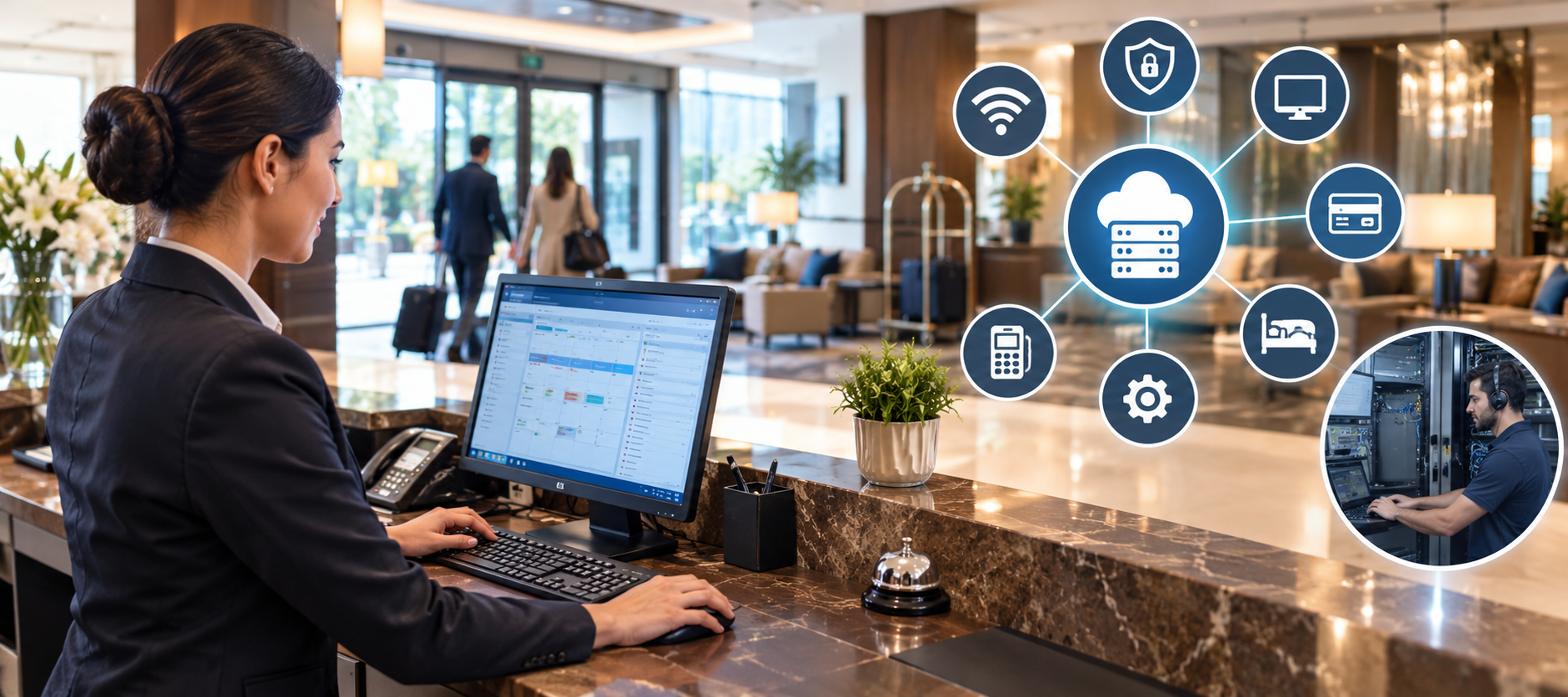
Technology plays an important role in the hospitality industry. Hotels, resorts, restaurants, and other hospitality businesses rely on digital systems to manage bookings, process payments, provide internet access, and deliver a smooth guest experience.
However, technical problems can interrupt daily operations. A slow hotel Wi-Fi network, a booking system failure, or a payment terminal that stops working can affect both staff and guests.
Hospitality IT support helps businesses identify these problems, troubleshoot technical issues, and keep essential systems running. Understanding common technology challenges can help hospitality businesses reduce downtime and improve service quality.
In this guide, we explore common hospitality technology problems and practical solutions businesses can use to address them.
Why Is IT Support Important in the Hospitality Industry?
Hospitality businesses often depend on several connected systems to manage their daily operations. These may include property management systems (PMS), point-of-sale (POS) systems, online booking platforms, guest Wi-Fi, security cameras, and staff communication tools.
When one system stops working, it can affect other parts of the business. For example, a network outage may prevent hotel staff from accessing reservation information or processing payments.
Reliable hospitality IT support helps businesses:
-
Reduce downtime caused by technical problems.
-
Keep booking and payment systems available.
-
Resolve guest Wi-Fi and connectivity issues.
-
Protect business systems and sensitive information.
-
Help employees use hospitality software more effectively.
-
Maintain a consistent guest experience.
With the right support processes, businesses can resolve issues more quickly and reduce the risk of repeated disruptions.
7 Common Hospitality IT Problems and Their Solutions
1. Slow or Unreliable Guest Wi-Fi
Wi-Fi is an important part of the guest experience. Visitors expect reliable internet access for video calls, entertainment, online work, and everyday communication.
However, hospitality businesses may experience weak signals, slow speeds, dead zones, or frequent disconnections. These problems can occur when too many devices share the same network, access points are poorly positioned, or network equipment is outdated.
Solutions:
-
Install suitable Wi-Fi access points throughout the property.
-
Monitor network performance and bandwidth usage.
-
Separate guest Wi-Fi from internal business networks.
-
Update router and access point firmware regularly.
-
Investigate recurring connection failures and coverage gaps.
IT support teams can help identify the source of connectivity problems and recommend improvements based on the property's size and network requirements.
2. Property Management System (PMS) Failures
A property management system helps hotels manage reservations, check-ins, check-outs, room availability, and guest information.
If the PMS becomes unavailable or runs slowly, staff may struggle to access bookings, update room status, or complete front-desk tasks. Integration problems between the PMS and other hotel systems can also cause delays.
Solutions:
-
Monitor system availability and performance.
-
Keep software and integrations properly maintained.
-
Check network connectivity and vendor service status when failures occur.
-
Establish a backup procedure for essential front-desk operations.
-
Maintain a clear escalation process for software-related incidents.
When a problem originates with the software provider, the IT support team can collect diagnostic details and coordinate with the vendor to speed up troubleshooting.
3. POS and Payment Processing Problems
Restaurants, hotel bars, and front-desk teams depend on point-of-sale systems and payment terminals to complete transactions.
Payment failures may result from network interruptions, outdated software, terminal configuration issues, or problems with the payment processor. These disruptions can create queues, delay service, and frustrate customers.
Solutions:
-
Test network connectivity and terminal status.
-
Keep POS software and supported devices updated.
-
Monitor recurring transaction failures.
-
Establish approved backup payment procedures.
-
Escalate processor or payment gateway issues to the appropriate provider.
Businesses should never store payment details or bypass security controls as a workaround. Any backup procedure should follow applicable payment security requirements.
4. Cybersecurity Threats and Data Breaches
Hospitality businesses may handle guest contact details, reservation records, employee information, and payment-related data. These systems can become targets for phishing, ransomware, unauthorized access, and other cyber threats.
Weak passwords, outdated software, unsecured devices, and poorly separated networks can increase security risks.
Solutions:
-
Require strong passwords and multifactor authentication where supported.
-
Apply security updates to operating systems and applications.
-
Restrict access based on employee roles.
-
Separate guest networks from business-critical systems.
-
Train employees to recognize suspicious emails and links.
-
Maintain secure backups and test recovery procedures.
-
Develop an incident response plan.
Hospitality IT support can help maintain secure configurations, investigate suspicious activity, and coordinate incident escalation. Businesses should also involve qualified cybersecurity specialists when a threat requires deeper investigation.
5. Online Booking and Reservation Integration Errors
Hotels often receive reservations through their own websites, booking engines, and online travel agencies. These platforms may exchange information with the PMS and other operational systems.
If an integration fails, room availability or reservation details may not update correctly. This can contribute to duplicate bookings, incorrect availability, or delays in confirming reservations.
Solutions:
-
Check the status of booking integrations and synchronization processes.
-
Review error logs and failed data transfers.
-
Confirm that room inventory and reservation updates are syncing correctly.
-
Monitor third-party service status.
-
Contact the relevant platform provider when the issue is outside the hotel's control.
Regular integration checks help businesses identify synchronization issues before they affect a large number of reservations.
6. Outdated Hardware and Software
Hospitality businesses may continue using older computers, printers, routers, POS terminals, and other equipment because replacing everything at once can be expensive.
However, aging equipment can become slower, experience more failures, or lose compatibility with newer software. Devices that no longer receive security updates may also create additional risks.
Solutions:
-
Maintain an inventory of hardware and software.
-
Track equipment age, warranty status, and support availability.
-
Replace devices based on risk and business impact.
-
Apply supported software and firmware updates.
-
Plan hardware upgrades before critical equipment reaches the end of its useful life.
A planned maintenance schedule can help hospitality businesses avoid unexpected replacement costs and reduce interruptions during busy periods.
7. Lack of In-House IT Support
Smaller hotels, independent restaurants, and growing hospitality groups may not have enough in-house IT staff to handle every technical issue.
Employees may need help with login problems, printer errors, software access, connectivity, or device configuration. Without a clear support process, these issues can remain unresolved and affect daily work.
Solutions:
-
Create a clear process for reporting technical issues.
-
Maintain a record of incidents and their resolutions.
-
Define priorities for urgent and routine problems.
-
Provide employees with basic troubleshooting guidance.
-
Consider outsourced IT helpdesk support when internal resources are limited.
An external support team can help resolve common technical issues and escalate more complex problems to the appropriate specialists, depending on the agreed service scope.
How to Choose the Right Hospitality IT Support Solution
Not every hospitality business has the same technology requirements. A small restaurant may primarily need POS and network troubleshooting, while a large hotel may require support for property management software, guest connectivity, multiple locations, and complex system integrations.
Before choosing an IT support solution, consider the following factors.
Support Availability
Hospitality businesses may operate early in the morning, late at night, and throughout weekends. Look for support coverage that matches your operating hours and the urgency of your systems.
Hospitality Technology Experience
Choose a provider that understands the systems your business uses, such as PMS platforms, POS devices, booking integrations, Wi-Fi networks, and staff workstations.
Response Times and Escalation
Ask how urgent incidents are prioritized, how quickly the provider acknowledges issues, and how complex problems are escalated. Review service-level agreements (SLAs) carefully.
Security and Access Controls
Check how the provider manages remote access, employee permissions, confidential information, software updates, and incident reporting.
Scalability
Your IT support requirements may change as you add rooms, restaurants, locations, employees, or digital services. Choose a support model that can adapt to your business needs.
In-House vs. Outsourced Hospitality IT Support
Hospitality businesses can manage IT internally, outsource selected support tasks, or combine both approaches.
| Factor | In-house IT support | Outsourced IT support |
|---|---|---|
| Staffing | Depends on internal team size | Access to an external support team |
| Availability | Depends on staffing and schedules | Can be arranged for extended or 24/7 coverage |
| Hospitality knowledge | Builds through internal experience | Depends on provider expertise |
| Costs | Salaries, training, tools, and equipment | Contract or service-based costs |
| Flexibility | May require additional hiring | Scope can often be adjusted by agreement |
In-house support can be useful when a business needs employees who are familiar with its systems and operations. Outsourced It support can provide additional capacity when internal teams are stretched or extended coverage is needed.
The right choice depends on business size, technical complexity, budget, and the level of support required.
Conclusion
Technology problems can affect guest satisfaction, employee productivity, reservations, and revenue in the hospitality industry. Common challenges include unreliable Wi-Fi, PMS failures, payment processing issues, cybersecurity risks, booking integration errors, outdated equipment, and limited IT resources.
Hospitality businesses can reduce these risks through regular maintenance, secure configurations, reliable monitoring, clear troubleshooting procedures, and appropriate technical support.
Whether you operate a hotel, resort, restaurant, or hospitality group, a suitable IT support strategy can help resolve problems more efficiently and keep essential systems available.

 English
 Arabic
 Spanish
 Portuguese
 Deutsch
 Turkish
 Dutch
Dutch
 Italiano
 Russian
 Romaian
 Portuguese (Brazil)
 Greek
Greek
