
Internal Tool Builders: Create Smarter Business Systems
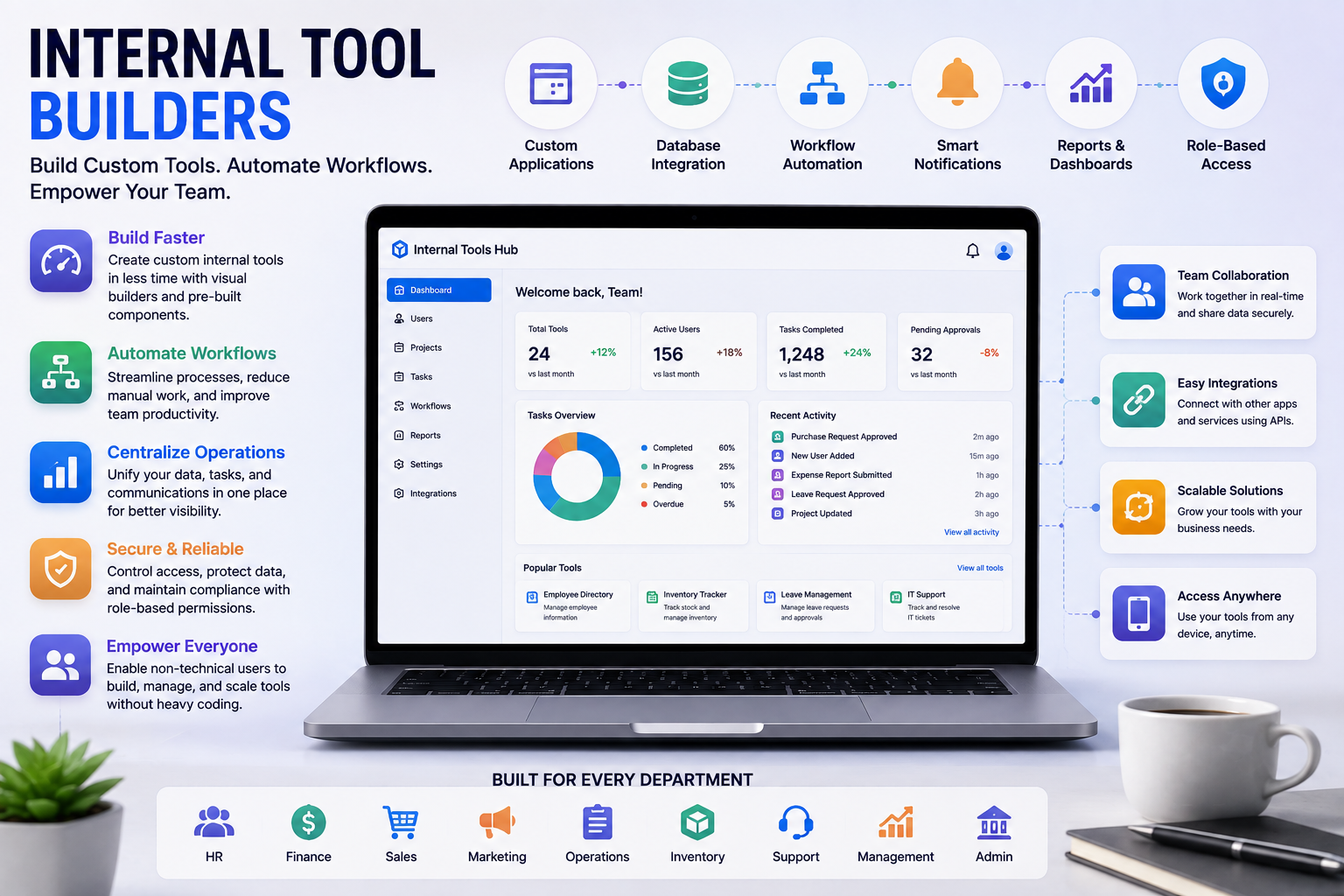
Modern businesses use a wide range of software to manage daily operations. However, standard software does not always match the specific requirements of every organization. Teams may need custom dashboards, approval systems, data management tools, reporting interfaces, or internal applications to handle their unique workflows.
This is where Internal Tool Builders can provide an effective solution. These platforms allow businesses to create customized internal applications without requiring every project to be developed completely from scratch.
What Are Internal Tool Builders?
Internal Tool Builders are platforms that help companies create custom software tools for their internal teams and business processes.
These tools are generally designed for employees rather than public customers. They can be used to manage information, automate workflows, create dashboards, track tasks, and connect different business systems.
Many Internal Tool Builders provide visual interfaces, pre-built components, database connections, integrations, and automation features. This allows teams to create useful applications with less development effort.
Why Do Businesses Need Internal Tools?
Every organization has processes that are specific to its operations. A company may have a unique approval process, sales workflow, inventory system, employee management process, or reporting requirement.
Using spreadsheets or multiple disconnected applications can make these processes difficult to manage.
Custom internal tools can bring information and workflows together in one place. This can make everyday operations more organized and reduce unnecessary manual work.
Benefits of Internal Tool Builders
Faster Application Creation
Traditional software development can require significant time for planning, coding, testing, and deployment. Internal Tool Builders can speed up this process by providing reusable components and visual development features.
Teams can create functional internal applications without building every feature from the beginning.
Reduced Development Costs
Businesses can reduce development effort by using pre-built components and low-code or no-code features. This can be particularly useful for smaller organizations with limited technical resources.
Better Workflow Automation
Internal tools can automate repetitive tasks such as approvals, notifications, data updates, reporting, and record management.
Automation reduces manual work and allows employees to spend more time on activities that require human decision-making.
Improved Productivity
When employees have access to tools designed around their actual workflows, they can complete tasks more efficiently.
Instead of switching between multiple applications, employees can manage important information through a centralized internal system.
Greater Flexibility
Internal Tool Builders allow businesses to customize applications according to their requirements. Companies can modify fields, workflows, dashboards, permissions, and other features as their needs change.
Common Types of Internal Tools
Businesses can use Internal Tool Builders to create many different types of applications.
Admin Dashboards
Administrative dashboards can provide teams with a central location for viewing business data, managing records, and tracking important activities.
Customer Management Tools
Internal applications can help sales and support teams manage customer information, communication history, account details, and follow-up activities.
Inventory Management
Companies can build internal tools to monitor stock levels, manage products, track suppliers, and receive notifications when inventory needs attention.
Approval Systems
Businesses often require approvals for expenses, documents, purchases, leave requests, and other activities. Custom tools can automate these approval workflows.
Reporting Applications
Internal reporting tools can collect business information and display it through tables, charts, dashboards, and performance indicators.
Key Features of Internal Tool Builders
When choosing an Internal Tool Builder, businesses should evaluate the features available on the platform.
Visual Development
Visual builders allow users to create application interfaces through configurable components. This can make application development easier for teams without extensive programming experience.
Database Integration
Internal tools often need access to business data. Database integrations allow applications to retrieve, update, and manage information from connected systems.
API Connections
API support makes it possible to connect internal applications with external software and business services. This can help create a more connected technology environment.
User Permissions
Different employees may need different levels of access. Permission controls can help businesses determine which users can view, edit, or manage specific information.
Workflow Automation
Automation features can trigger actions based on specific events. For example, submitting a form could automatically create a task, send a notification, or request approval.
Custom Dashboards
Dashboards allow employees and managers to view important information in a convenient format. Custom reporting can help teams understand business performance more easily.
Internal Tool Builders vs. Traditional Development
Traditional development provides extensive customization but can require more time, technical resources, and maintenance.
Internal Tool Builders can provide a faster alternative for many business applications. Instead of writing every part of an application manually, teams can use pre-built components and configuration options.
However, traditional development may still be appropriate for highly complex applications that require specialized functionality or extensive customization.
The best approach depends on the requirements, budget, technical resources, and complexity of the project.
Who Can Use Internal Tool Builders?
Internal Tool Builders are useful for organizations of different sizes.
Small Businesses
Small businesses can use these platforms to create practical tools without maintaining a large software development team.
Growing Companies
As a business grows, its workflows often become more complicated. Custom internal tools can help organizations manage increasing amounts of data and more complex operations.
Enterprise Organizations
Large companies can use Internal Tool Builders to create department-specific applications while maintaining control over data, access, and workflows.
Operations Teams
Operations professionals can build tools for managing processes, tracking tasks, monitoring performance, and improving workflow efficiency.
How to Choose the Right Internal Tool Builder
Businesses should consider their current requirements before selecting a platform. The right solution should be easy to use while providing enough flexibility for future needs.
Important factors include:
- Ease of application development
- Database compatibility
- API and integration support
- Workflow automation
- User permissions
- Security features
- Scalability
- Customization options
- Collaboration features
- Pricing
- Technical support
It is also useful to consider whether the platform can integrate with the software the business already uses.
Security and Internal Tools
Internal applications often handle sensitive business information, employee records, customer data, and operational details. Security should therefore be an important part of the platform selection process.
Businesses should evaluate authentication, access controls, user permissions, data protection, and monitoring capabilities.
Proper security configuration can help ensure that employees only access information relevant to their roles.
How Internal Tools Improve Business Operations
A well-designed internal tool can remove unnecessary steps from everyday workflows.
For example, instead of collecting information through emails and manually updating spreadsheets, employees can submit information through a centralized application. The system can then automatically update records and notify the appropriate team members.
This creates a more consistent workflow and can reduce the possibility of manual errors.
Future of Internal Tool Development
The internal software development landscape is changing as businesses adopt low-code, no-code, automation, and AI technologies.
Modern Internal Tool Builders are increasingly capable of connecting data sources, automating complex processes, and adding intelligent features to business applications.
AI can also help teams analyze internal data, generate summaries, automate repetitive tasks, and provide useful insights.
As these technologies continue to develop, businesses may be able to create increasingly powerful internal applications with fewer development resources.
Conclusion
Internal Tool Builders provide businesses with a practical way to create custom applications for internal workflows and operations. They can help organizations automate repetitive processes, connect business data, improve productivity, and create tools tailored to specific requirements.
From dashboards and approval systems to inventory management and reporting applications, internal tools can solve many everyday business challenges.
For organizations looking to improve operational efficiency without investing excessive time and resources into traditional development, an Internal Tool Builder can be a valuable addition to their technology strategy.

 English
 Arabic
 Spanish
 Portuguese
 Deutsch
 Turkish
 Dutch
Dutch
 Italiano
 Russian
 Romaian
 Portuguese (Brazil)
 Greek
Greek
