
Barcode Printing Solutions for Small and Growing Businesses
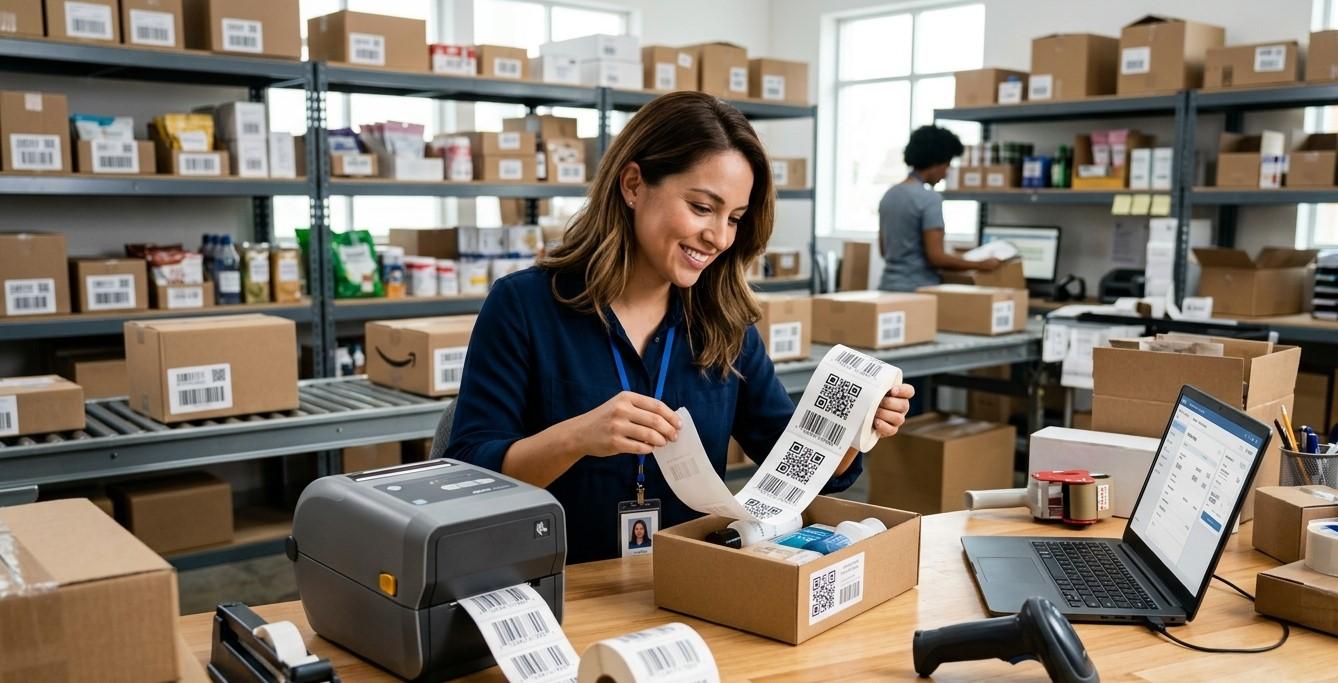
For small and growing businesses, efficient product identification and inventory management are essential for maintaining smooth daily operations. As the number of products, orders, customers, and shipments increases, manual labeling and record-keeping can become difficult to manage. Barcode printing provides a practical way to organize products, track inventory, improve order accuracy, and reduce repetitive data-entry tasks.
Businesses do not always need a complicated or expensive system to get started. With the right combination of barcode printers, labels, scanners, and software, even a small business can build a scalable identification system. Pointus Solutions provides barcode solutions that can support businesses across retail, warehousing, logistics, manufacturing, distribution, and e-commerce. Companies looking to Shop Barcode equipment can choose from barcode printers, scanners, labels, and other Printing Products suited to different business requirements.
What Is Barcode Printing?
Barcode printing is the process of creating machine-readable codes on labels, tags, packaging, or other materials.
A barcode represents information such as:
- Product ID
- SKU
- Serial number
- Inventory number
- Tracking number
- Batch number
- Asset number
When the barcode is scanned, the corresponding information can be retrieved from connected software.
This makes barcode printing an important part of inventory management, retail operations, warehouse organization, and order fulfillment.
Why Small Businesses Need Barcode Printing
Many small businesses begin by managing products using spreadsheets, handwritten records, or manually entered product numbers. These methods may work when inventory is limited.
However, as a business grows, manual processes can create challenges.
Common problems include:
- Incorrect inventory counts
- Slow stocktaking
- Product identification errors
- Shipping mistakes
- Duplicate data entry
- Difficulty locating products
- Poor visibility of stock levels
Barcode printing can help replace repetitive manual processes with a more standardized workflow.
Benefits of Barcode Printing for Growing Businesses
1. Improved Inventory Accuracy
Barcode labels provide products with unique identifiers.
Employees can scan products instead of manually typing product numbers. This can reduce certain data-entry mistakes and make inventory records more consistent.
For example:
Product Received → Barcode Scanned → Quantity Recorded → Inventory Updated
This creates a more organized inventory process.
2. Faster Product Identification
Employees can identify products quickly by scanning their barcode.
This is especially useful when a business has multiple products that look similar.
Instead of searching through a spreadsheet or manually reading product codes, an employee can scan the label and retrieve the relevant information.
3. Faster Stock Counting
Physical inventory counts can consume significant time.
Barcode scanners allow employees to scan products as they move through storage areas. The captured information can then be compared with inventory records.
This can make cycle counting and periodic stock checks more efficient.
4. Better Order Fulfillment
As order volumes increase, picking the correct products becomes increasingly important.
Barcode scanning can be used during picking and packing to verify products before they are shipped.
For example:
Order → Pick Product → Scan Barcode → Verify Item → Pack
This additional verification step can help reduce fulfillment errors.
5. Reduced Manual Data Entry
Typing product numbers repeatedly is inefficient.
Barcode printing and scanning automate much of this process.
Employees can scan a barcode and allow the connected software to retrieve the appropriate product information.
This saves time and allows employees to focus on other operational tasks.
Choosing the Right Barcode Printer
A barcode printer is one of the most important components of a barcode printing system.
Small businesses should consider several factors before purchasing a printer.
Printing Volume
Determine how many labels the business expects to print.
A company printing a few hundred labels per month may have different requirements from a warehouse printing thousands of labels each day.
Print Resolution
Printer resolution affects the level of detail that can be produced.
Common resolutions include:
- 203 DPI
- 300 DPI
- 600 DPI
Higher resolution can be useful for smaller barcodes and detailed labels.
Printing Speed
If employees print labels continuously, printing speed becomes more important.
A suitable printer should be able to handle the expected workload without becoming a bottleneck.
Label Width
Make sure the printer supports the required label dimensions.
Connectivity
Depending on the business setup, connectivity options may include:
- USB
- Ethernet
- Wi-Fi
- Bluetooth
The right connection depends on how the printer will be used.
Direct Thermal vs. Thermal Transfer Printing
Small businesses commonly encounter two major thermal printing technologies.
Direct Thermal Printing
Direct thermal printers use heat-sensitive media and do not require a ribbon.
They can be suitable for applications such as:
- Shipping labels
- Temporary labels
- Short-term product identification
- Receipts
Direct thermal labels may be affected by heat, sunlight, or other environmental conditions depending on the media.
Thermal Transfer Printing
Thermal transfer printers use a ribbon to transfer ink onto the label.
They can be useful for applications requiring longer-lasting labels.
Examples include:
- Asset labels
- Product identification
- Warehouse labels
- Industrial labels
- Long-term inventory identification
The best technology depends on the required label lifespan and operating environment.
Selecting the Right Barcode Labels
The printer is only one part of the system.
The label material must also match the application.
Paper Labels
Paper labels are often suitable for general indoor applications.
They can be used for:
- Inventory
- Product identification
- Warehouse organization
- Internal labeling
Synthetic Labels
Synthetic materials can offer greater resistance to moisture, abrasion, and handling.
They may be appropriate for:
- Outdoor equipment
- Industrial environments
- Logistics applications
- Long-term asset tracking
Businesses should also consider the adhesive because different surfaces require different adhesive characteristics.
Choosing the Right Barcode Format
Small businesses can choose from several barcode formats.
UPC and EAN
These are commonly associated with retail product identification.
Code 128
Code 128 can encode alphanumeric information and is widely used in logistics and inventory applications.
Code 39
Code 39 is another format used in various identification and industrial applications.
QR Codes
QR codes can store more information than many traditional 1D barcodes and can be useful for applications involving digital information, links, or product details.
The correct barcode format depends on the business's software, scanner compatibility, label size, and intended use.
Barcode Software for Small Businesses
Barcode printing becomes more useful when connected to appropriate software.
Businesses may use:
- Inventory management software
- Point-of-sale systems
- Warehouse management software
- E-commerce platforms
- Order management systems
- Asset management applications
The software can generate barcode data and connect it with product information.
For example, when a product SKU is entered into the database, the system can generate a corresponding barcode that can be printed on a label.
Building a Simple Barcode Printing Workflow
Small businesses can begin with a straightforward workflow.
Step 1: Create Product Records
Enter product information into the inventory system.
Step 2: Assign SKUs
Give each product or product variation a unique identifier.
Step 3: Generate Barcodes
Create a barcode corresponding to each SKU or product ID.
Step 4: Print Labels
Use a compatible barcode printer and label material.
Step 5: Apply Labels
Place labels consistently on products or packaging.
Step 6: Scan Products
Use a barcode scanner to verify that the labels work correctly.
Step 7: Connect Scanning to Inventory
Ensure scans update or retrieve the correct information in the software.
Barcode Printing for E-Commerce Businesses
E-commerce businesses can benefit significantly from barcode printing.
Online stores may need to manage:
- Large product catalogs
- Multiple product variations
- Customer orders
- Returns
- Shipping
- Warehouse inventory
Barcode labels can help identify products during picking and packing.
For example, an employee can scan a product before placing it into an order.
This provides an additional check against selecting the wrong item.
Barcode Printing for Retail Stores
Retail businesses can use barcodes for:
- Product identification
- Inventory management
- Price lookup
- Stock replenishment
- Checkout
- Returns
A barcode scanner can quickly retrieve product information from the point-of-sale system.
This can reduce the need for employees to manually enter product information at checkout.
Barcode Printing for Warehouses
Warehouses can use barcode labels for more than products.
They can label:
- Shelves
- Bins
- Racks
- Aisles
- Pallets
- Storage zones
- Equipment
Location barcodes can help employees record where inventory is stored.
A simple process may look like:
Scan Product → Scan Location → Confirm Storage
This can improve warehouse organization and inventory visibility.
Barcode Printing for Small Manufacturers
Manufacturers can use barcode labels to identify:
- Raw materials
- Components
- Work-in-progress products
- Finished goods
- Equipment
- Production batches
Barcode tracking can help businesses follow materials through different production stages.
This can improve traceability and organization.
How to Keep Barcode Printing Costs Under Control
Small businesses should focus on purchasing equipment that matches their actual needs.
There is no need to select the most expensive printer or scanner if the business does not require its advanced capabilities.
Consider:
- Expected label volume
- Label material
- Required durability
- Printing resolution
- Software compatibility
- Scanner requirements
- Future growth
It is also important to consider the ongoing cost of labels, ribbons, maintenance, and replacement components.
Common Barcode Printing Mistakes to Avoid
Choosing Equipment Based Only on Price
The cheapest equipment may not be suitable for long-term business use.
Using Poor-Quality Labels
Poor labels can cause scanning problems and waste.
Incorrect Barcode Dimensions
Barcodes that are too small or improperly designed may be difficult to scan.
Ignoring Quiet Zones
Adequate blank space should be maintained around barcodes.
Failing to Test Labels
Always test sample labels before producing large quantities.
Neglecting Printer Maintenance
Regular cleaning and maintenance help maintain consistent print quality.
Using Incompatible Materials
Labels and ribbons should be compatible with the selected printer.
How Barcode Printing Can Support Business Growth
A major advantage of barcode technology is scalability.
A small business may begin with:
1 Printer + 1 Scanner + Basic Inventory Software
As the company grows, it can add:
- Additional printers
- Wireless scanners
- Mobile computers
- Warehouse location labels
- Automated inventory software
- E-commerce integrations
- Shipping integrations
This allows the barcode system to evolve alongside the business.
Best Practices for Small Businesses
For successful barcode printing:
- Assign unique product identifiers.
- Standardize barcode formats.
- Use high-quality labels.
- Select a printer based on actual printing volume.
- Match label materials to the environment.
- Test barcode readability.
- Train employees.
- Maintain printers and scanners.
- Keep inventory software accurate.
- Review the system as the business grows.
Final Thoughts
Barcode printing can provide small and growing businesses with a practical way to improve inventory control, product identification, order fulfillment, warehouse organization, and operational efficiency. A well-designed barcode system can reduce repetitive manual work while providing employees with faster access to product information.
Businesses do not need to implement a complicated system from day one. Starting with the right barcode printer, labels, scanner, and software can provide a strong foundation. As inventory and order volumes increase, additional equipment and software integrations can be added.
If you are planning to Shop Barcode equipment, consider your current printing volume, label requirements, operating environment, software, and future growth. Choosing reliable barcode printers, scanners, labels, and other Printing Products can help your business build an efficient and scalable identification system.
Pointus Solutions provides barcode and identification solutions for small businesses, retailers, warehouses, manufacturers, logistics companies, distributors, and e-commerce operations. With the right barcode printing strategy, growing businesses can improve accuracy, save time, streamline workflows, and build a stronger foundation for future growth.

 English
 French
 Spanish
 Portuguese
 Deutsch
 Turkish
 Dutch
Dutch
 Italiano
 Russian
 Romaian
 Portuguese (Brazil)
 Greek
Greek
