
Invoicing Software Australia: A Complete Guide to Choosing the Right Solution for Your Business
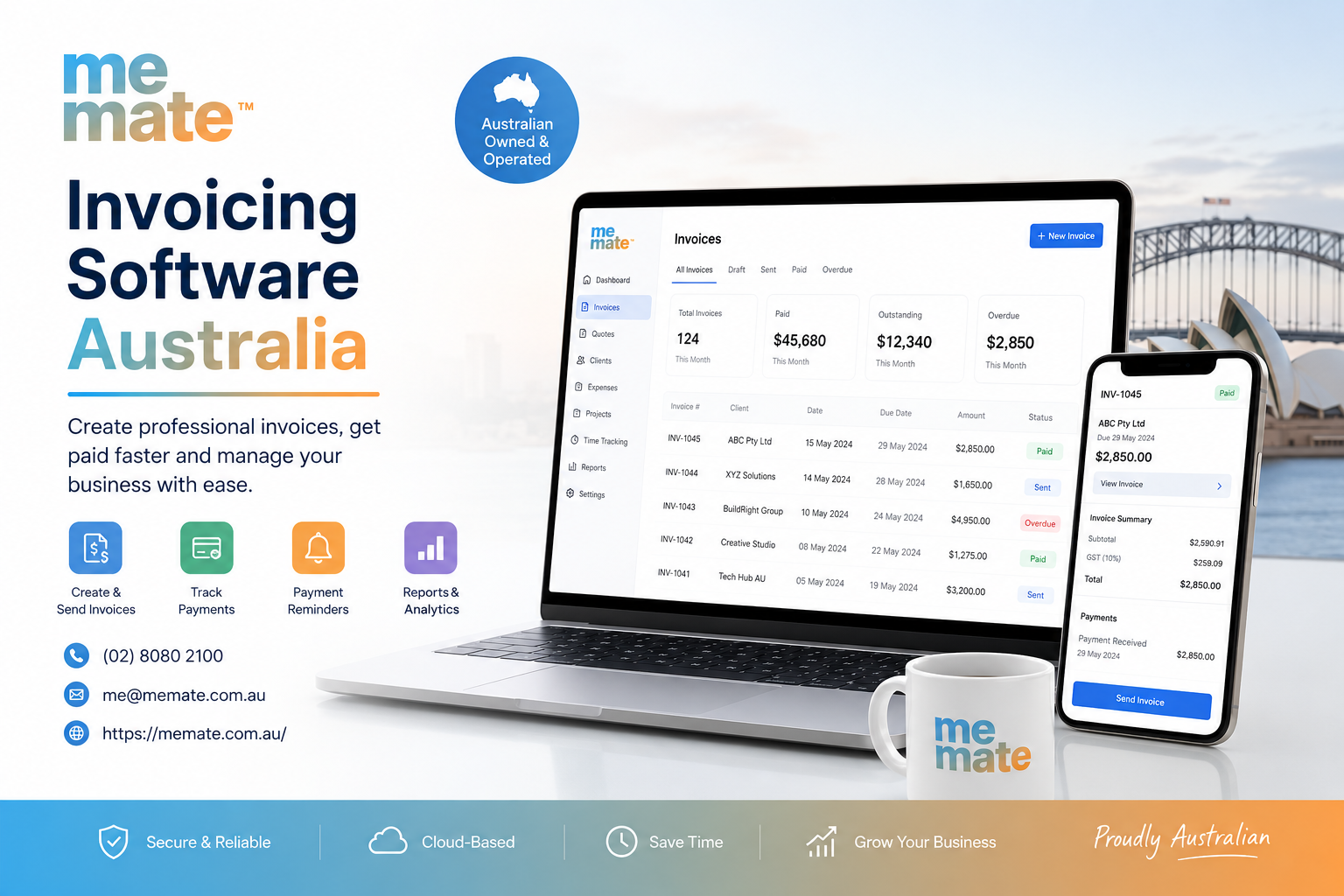
For many Australian businesses, invoicing is more than simply sending a document and waiting for payment. It sits at the centre of cash flow, customer administration, record-keeping and accounting workflows. When invoices are created manually, followed up inconsistently or stored across different systems, even a growing business can spend unnecessary time chasing payments and correcting administrative errors.
The right invoicing system can make this process considerably more organised. It can help businesses create professional invoices, monitor outstanding payments, automate reminders and connect billing information with broader financial workflows.
However, choosing a solution should not be based on the number of features listed on a pricing page. The better question is: does the software fit the way your business actually sells, bills, collects payments and manages financial records?
What Is Invoicing Software?
Invoicing Software is a digital tool that helps businesses create, send, manage and track invoices. Depending on the platform, it may also support quoting, payment processing, recurring billing, expense management, reporting and accounting integrations.
Basic systems can replace Word or spreadsheet-based invoices with reusable templates and automatic invoice numbering. More advanced platforms can connect the entire process from an accepted quote through to delivery, invoicing and payment tracking.
For example, a small design agency might prepare a quote, receive approval, record project costs and then issue an invoice. Instead of managing each stage separately, an integrated system can keep these activities connected.
This distinction matters because not every business needs a large accounting platform. A freelancer with a handful of clients may need straightforward online invoicing, while a service business with employees, contractors and multiple projects may benefit from a broader business management system.
Why Australian Businesses Use Invoicing Software
The main benefit is control. A business should be able to answer questions such as:
-
Which customers have been invoiced?
-
Which invoices are overdue?
-
How much money is expected?
-
Which invoices have been paid?
-
What revenue relates to a particular project?
-
Are invoices being issued consistently?
Good invoicing processes also support cash flow. Australian Government guidance recommends issuing clear, correct invoices, setting appropriate payment terms and following up unpaid invoices.
Automation can reduce repetitive administration as well. Payment reminders, recurring invoices and invoice templates can minimise the amount of manual work required for routine billing.
For a business that sends dozens of invoices each month, saving a few minutes on every invoice can become meaningful. More importantly, a centralised record makes it easier to identify overdue accounts before they become a larger cash-flow problem.
Key Features to Look For
Not every feature deserves equal weight. Start with the capabilities that directly support your billing process.
Professional invoice creation
The system should make it easy to create accurate invoices containing business and customer details, descriptions, prices, payment terms and applicable GST information.
Australian businesses registered for GST need to meet the relevant tax-invoice requirements. These include information such as the supplier's identity and ABN, the date, descriptions of supplies and GST information where applicable. Additional requirements can apply depending on the value and circumstances of the transaction.
Software can help structure invoices correctly, but businesses should not assume that software automatically makes every tax treatment compliant. Your GST obligations depend on your circumstances, so unusual transactions should be checked with the ATO or a qualified tax professional.
Automated payment reminders
Following up unpaid invoices manually can become uncomfortable and time-consuming. Automated reminders allow businesses to establish a consistent process without relying entirely on memory.
The goal is not to send aggressive messages. A useful system should allow reminders to be timed appropriately and written in a professional tone.
Recurring invoices
Businesses providing subscriptions, retainers or ongoing services can benefit from recurring billing. Instead of recreating the same invoice every month, the system can generate invoices according to an agreed schedule.
This is particularly useful for agencies, consultants, maintenance providers and other businesses with predictable billing arrangements.
Payment tracking
A useful dashboard should make outstanding invoices easy to identify. Ideally, users can distinguish between draft, sent, paid, partially paid and overdue invoices.
This gives business owners a clearer view of accounts receivable—the amounts customers still owe—and helps prioritise follow-up activity.
Accounting integrations
If invoicing software does not communicate effectively with the rest of your accounting workflow, it may simply create another administrative system.
Look for integrations that reduce duplicate data entry and make it easier to transfer relevant sales, payment and financial information into your accounting processes.
Quoting and invoicing
For service businesses, connecting quotes to invoices can be more valuable than invoicing alone. Once a customer accepts a quote, the business should ideally be able to move towards delivery and billing without recreating information manually.
This becomes even more important when projects involve expenses, staff time, contractors, or changing scopes.
Choosing Invoicing Software for a Small Business
For smaller businesses, simplicity often matters more than an enormous feature set.
The best solution should be easy for the business owner and staff to understand without requiring extensive training. Consider whether you genuinely need advanced reporting, inventory management, or complex workflows before paying for them.
A practical checklist is:
-
How many invoices do you send each month?
-
Do you issue one-off or recurring invoices?
-
Do you need quotes as well as invoices?
-
How many people need access?
-
Do customers pay online?
-
Do you need payment reminders?
-
Do you track expenses against jobs or projects?
-
Does your accountant use a particular accounting platform?
-
Are GST and tax records handled appropriately?
-
Will the system still suit the business if invoice volume increases?
For a sole trader, a simple invoicing tool may be sufficient. For a growing service company, broader invoicing software for small business may need to cover quoting, projects, expenses, time tracking and client management as well.
Important Considerations for Australian Businesses
Australian businesses should pay particular attention to GST handling, tax invoices, record keeping and payment processes.
If registered for GST, businesses generally need to issue tax invoices for taxable sales in circumstances specified by the GST rules. Business records also need to be retained for the required period; most business records must generally be kept for at least five years.
The software should therefore support accurate records and make it straightforward to retrieve historical invoices when needed.
eInvoicing may also be relevant for some businesses. Australian Government guidance notes that many software packages support secure electronic invoicing through the Peppol network.
Payment methods deserve attention too. Customers may prefer different ways to pay, while card and other electronic payment methods can involve transaction or service fees.
How to Compare Different Solutions
Rather than choosing the platform with the longest feature list, compare solutions against your actual workflow.
A simple evaluation could consider:
| What | What to Ask |
|---|---|
| Ease of use | Can staff create and send an invoice quickly? |
| Compliance | Does it support the information required for Australian invoices? |
| Automation | Can reminders and recurring invoices be scheduled? |
| Payments | Can customers pay using suitable methods? |
| Integrations | Does it connect with your accounting workflow? |
| Reporting | Can you quickly identify overdue invoices and revenue? |
| Scalability | Will it cope as customers and transactions increase? |
| Cost | Are subscription and transaction costs appropriate for usage? |
| Support | Is help available when something goes wrong? |
Testing the software with real scenarios is often more revealing than watching a demonstration. Create a quote, convert it into an invoice, record a payment, issue a reminder, and review the resulting reports. If the workflow feels unnecessarily complicated during testing, it is unlikely to become easier after implementation.
Common Mistakes to Avoid
One common mistake is choosing based entirely on price. A cheap system that creates additional manual work may cost more in staff time.
Another is buying features the business does not need. Complexity can reduce adoption, particularly when owners or employees already have established processes.
Businesses should also avoid treating invoicing as an isolated activity. If quotes, project costs, timesheets and invoices are managed separately, information can become fragmented.
Finally, do not overlook data security, access controls, backups and export options. Financial records are business-critical information and should be handled accordingly.
Where MeMate May Fit
For businesses that need more than standalone billing, MeMate provides a broader business management approach. Its platform combines quoting and invoicing with areas such as project profitability, expense management, scheduling, time tracking, contractor management and reporting.
That approach can be relevant to service-based businesses where an invoice is only one part of the commercial workflow. For example, an agency may need to connect a client's quote with project work, expenses, team time and eventual billing rather than simply generate an invoice.
The important consideration is fit. A business that only needs basic billing may prefer a simpler tool, while a company looking to connect quoting, project management and financial administration may benefit from a more integrated platform.
Frequently Asked Questions
Is invoicing software suitable for sole traders?
Yes. Sole traders can use invoicing software to create professional invoices, track payments, send reminders and maintain organised records. The right level of functionality depends on transaction volume and business complexity.
Does invoicing software automatically make an invoice GST compliant?
Not necessarily. Software can provide appropriate invoice fields and GST functionality, but businesses remain responsible for applying the correct tax treatment. Australian GST requirements can vary depending on the transaction and business circumstances.
Can invoicing software help improve cash flow?
It can help by making invoices easier to issue, highlighting overdue accounts and automating payment reminders. However, software cannot guarantee that customers will pay on time. Clear payment terms and consistent follow-up remain important.
Should I choose standalone invoicing software or an integrated business platform?
Choose standalone software when your primary requirement is billing. Consider an integrated platform when invoicing is closely connected to projects, employees, contractors, expenses, quoting or profitability.
What should I check before switching software?
Export your existing customer and invoice data, confirm integration requirements, check subscription and transaction costs, test the workflow and ensure historical records can be accessed or retained appropriately.
Conclusion
Choosing invoicing software in Australia should be treated as a business-process decision rather than simply a software purchase. The right solution should make billing easier, provide better visibility over outstanding payments and fit naturally into accounting and administrative workflows.
Start with your actual requirements. Check GST and record-keeping capabilities, payment options, integrations, automation and scalability. Most importantly, test how the software handles a complete real-world process—from quote to invoice to payment.
For a very small operation, simplicity may be the priority. For a growing service business, integrating invoicing with projects, expenses, scheduling, and profitability may deliver considerably more value. The strongest choice is ultimately the one that reduces unnecessary administration while giving your business a clearer, more reliable view of its finances.

 English
 Arabic
 French
 Spanish
 Portuguese
 Deutsch
 Turkish
 Dutch
Dutch
 Russian
 Romaian
 Portuguese (Brazil)
 Greek
Greek
