
Website Speed and Core Web Vitals: Why a Slow Store Is Losing You Sales
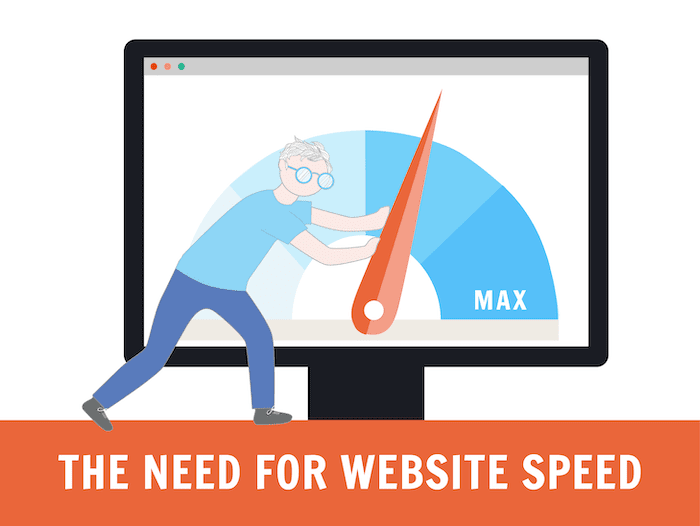
Site speed gets treated as a technical checkbox — something a developer optimizes once and moves on from. In reality, it's one of the most direct levers on revenue that most store owners never actively manage, because the losses show up as visitors who simply never converted, not as a line item anyone reviews.
Here's what Core Web Vitals actually measure, why they matter beyond SEO rankings, and what typically causes stores to fail them.
What Core Web Vitals Actually Measure
Core Web Vitals are a set of specific, measurable signals Google uses to assess real-world page experience. They cover three things: how quickly the main content of a page becomes visible, how quickly the page responds to a visitor's first interaction, and how visually stable the page is while it loads — whether buttons and images jump around as the page finishes rendering.
A page can look finished quickly but still fail these metrics if images shift content around after loading, or if the page appears ready before it can actually respond to clicks. This is why "it looks fast to me" isn't a reliable measure — these metrics capture what a real visitor experiences, not what a screenshot shows.
Why This Matters Beyond Search Rankings
Core Web Vitals do factor into search rankings, but the ranking impact is often smaller than the direct conversion impact. A visitor who taps "Add to Cart" and waits several seconds for a response, or one who tries to tap a button that shifts position as an image loads above it, frequently gives up before ever completing that action. This loss never shows up as a bounce in your analytics labeled "site was too slow" — it just shows up as a lower conversion rate with no obvious cause.
The Most Common Causes on E-commerce Stores Specifically
Unoptimized product images are the single biggest culprit. High-resolution photos uploaded directly without compression or proper sizing can add seconds to page load, especially on mobile connections.
Too many apps and scripts running simultaneously — reviews widgets, chat popups, upsell tools, tracking pixels — each add their own loading time, and stacked together they compound into a genuinely slow page even if each individual app seems lightweight.
Render-blocking theme code, often left over from a theme customization that wasn't cleaned up properly, can delay the point where a page becomes interactive even after it visually appears loaded.
Third-party fonts and heavy animations look polished in a design mockup but often add meaningful load time, particularly on the product and category pages that carry the most traffic.
How to Actually Diagnose the Problem
Rather than guessing, run your key pages — homepage, top category page, top product page, and checkout — through a real page speed testing tool and review the specific metrics flagged, not just an overall score. The specific culprit (a particular image, a particular script) is usually identifiable once you look at the breakdown rather than the summary number.
Fixing It Without Breaking the Store
Speed fixes often get treated as a separate project from the rest of the store, handled reactively only after rankings visibly drop. A better approach treats speed as an ongoing part of store maintenance — reviewing app usage quarterly, compressing new product images by default, and testing key pages after any theme or app update, not just once a year.
This is a natural extension of the work a shopify development services agency in Delhi handles as part of an ongoing engagement rather than a one-time audit — because new apps and images get added constantly, and a store that was fast at launch can quietly slow down over the following months without anyone noticing until conversion rates start slipping.
Speed also connects directly to your paid marketing costs, not just organic rankings — ad platforms factor page experience into cost-per-click through quality and relevance scoring, meaning a faster page can lower your ad spend while improving conversion at the same time. A best digital marketing agency in Delhi running your campaigns should be flagging landing page speed issues as part of campaign performance reviews, not leaving that entirely to whoever built the site. MarketingBugs treats site speed as a shared responsibility between development and marketing specifically because it affects both organic rankings and paid ad efficiency at the same time.
Frequently Asked Questions
Do Core Web Vitals actually affect e-commerce sales, or just SEO rankings? Both. They factor into search rankings, but the more direct impact is on conversion rate — slow or unstable pages cause visitors to abandon actions like adding to cart or completing checkout, independent of any ranking effect.
What's the most common cause of slow e-commerce pages? Unoptimized product images are typically the largest single factor, followed by too many simultaneously loaded apps and scripts.
How often should I test my store's page speed? At minimum after any theme update, major app installation, or product catalog overhaul. Many stores benefit from a quarterly review even without a specific trigger, since slowdowns often creep in gradually.
Can I fix Core Web Vitals issues myself without a developer? Some fixes, like compressing images before upload or removing unused apps, are accessible without deep technical skill. Fixes involving theme code or render-blocking scripts typically require development expertise.
Does site speed affect paid advertising costs? Yes. Ad platforms use landing page experience as part of quality and relevance scoring, which directly affects cost-per-click. A faster page can reduce ad costs while also improving conversion rates.
Conclusion
Site speed isn't a one-time technical fix — it's an ongoing factor that affects both search rankings and direct conversion rate, often in ways that never show up clearly in standard analytics. Treating it as continuous maintenance rather than a single audit, with a shopify development services agency in Delhi monitoring the technical side and a marketing partner factoring speed into campaign performance, protects both your organic growth and your ad efficiency at the same time. This shared responsibility between development and marketing is exactly how MarketingBugs approaches ongoing store performance for its clients.

 English
 Arabic
 French
 Spanish
 Portuguese
 Deutsch
 Turkish
 Dutch
Dutch
 Italiano
 Romaian
 Portuguese (Brazil)
 Greek
Greek
